Changelog
Explore the latest features, performance updates, and AI enhancements.



Version
1.4.0
5 March 2026
🚀 New
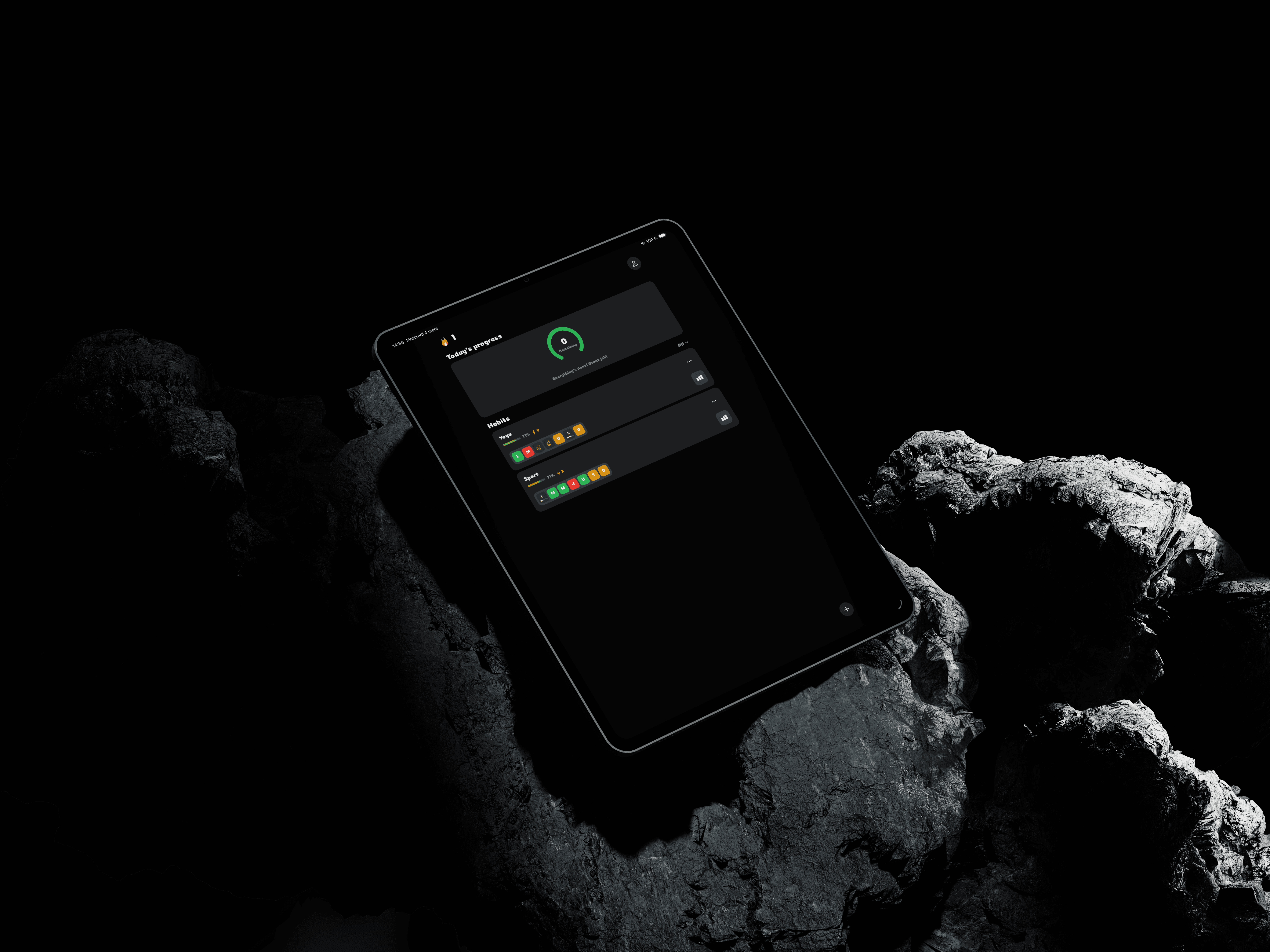
• iPad support — Be Kind is now a universal iPhone + iPad app. The interface automatically adapts to larger screens with an optimized readable content width on tablets.
• iCloud sync toggle in Account — A new switch in Settings > Account lets users enable or disable iCloud synchronization for habit data.
• Real account-aware behavior — The iCloud sync switch now reflects the actual CloudKit account state. If no Apple/iCloud account is connected, sync cannot be enabled.
✨ Improved
• Centered form screens — The create / edit habit views and the authentication screen are now centered on iPad with a maximum readable width to avoid overly stretched forms.
• Better onboarding on large screens — Onboarding pages and the top navigation bar are now displayed in a narrower column on iPad for more comfortable reading.
• Habits page optimized for iPad — The empty state, scrolling list, and floating “+” button now respect a fixed content width for a more balanced and consistent layout on large displays.
🐛 Fixed
• CloudKit model compatibility — SwiftData models were updated to satisfy CloudKit requirements (default values for non-optional fields and removal of unsupported unique constraint on Habit.id).
• CloudKit initialization warnings — Added the remote-notification background mode in the app Info.plist, required by CloudKit push-based mirroring.
• Safer startup when CloudKit is unavailable — App startup now falls back to the shared local store instead of crashing when CloudKit cannot initialize.
Version
1.3.2
2 March 2026
🚀 New
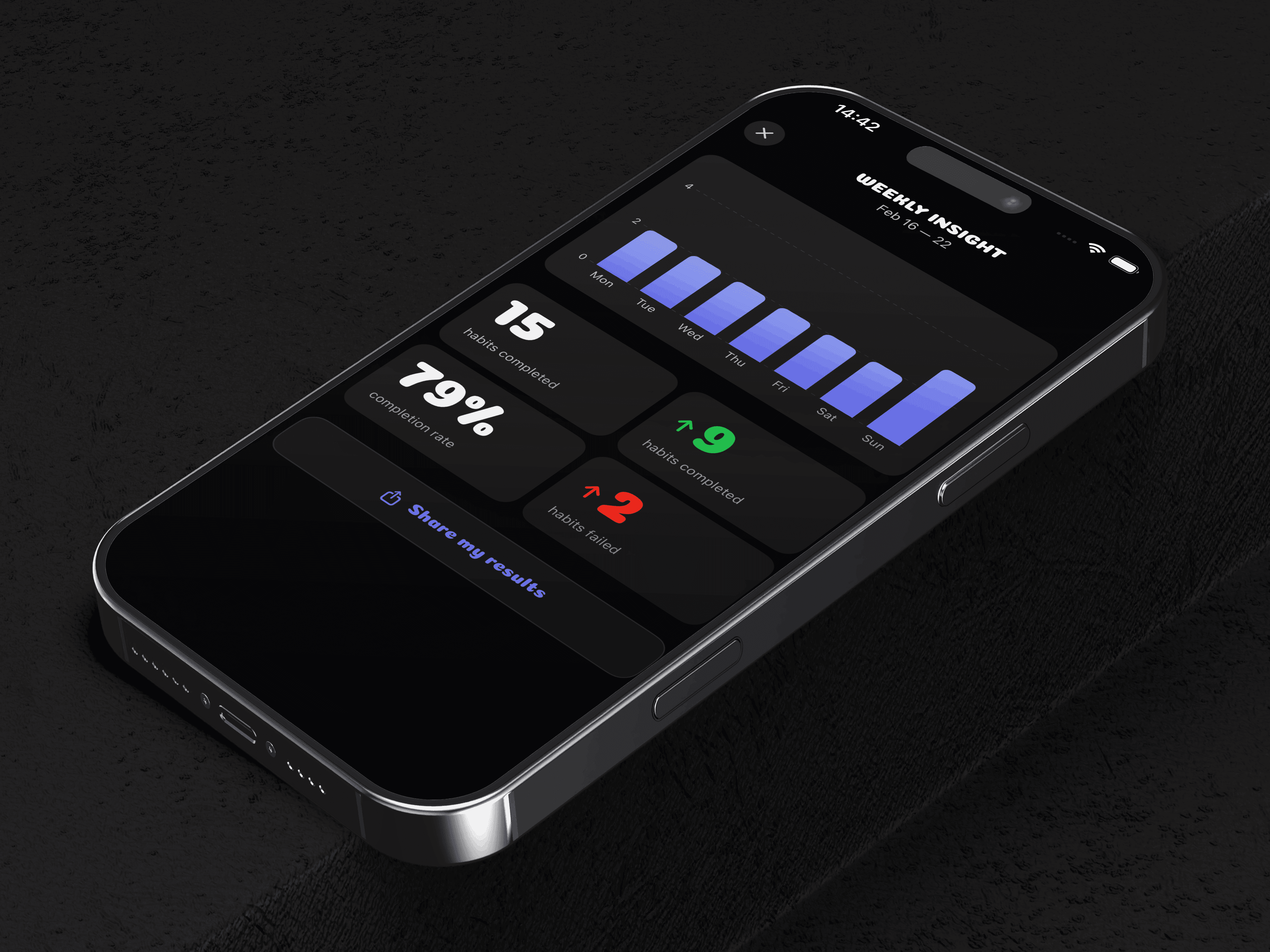
• Weekly Insight — Every Monday at 9 AM, a banner appears above today's progress inviting the user to view their weekly report. The report shows a bar chart of habits completed per day, four summary stats (total completions, week-over-week trend, completion rate, and failed habits), and a share button that generates a PNG image card. A repeating Monday 9 AM notification is scheduled when notifications are enabled.
• App Shortcut — A new "Create a Habit" shortcut is now available in the Shortcuts app, Spotlight, and via Siri ("Create a habit in Be Kind"). Triggering it opens the app directly to the habit creation sheet.
• Home screen widgets — Four new widgets bring Be Kind directly to the home screen and lock screen. Habit Card (Medium / Large) mirrors the in-app habit card with emoji, name, weekly day indicators, and current streak; it is configurable so users can pin any habit. Today's Habits (Medium / Large) shows the day's incomplete habits as an interactive checklist — tapping a row marks it complete without opening the app. Today's Progress (Small / Medium) displays a 270° progress ring that shifts from red to orange to green as the day's habits are completed. Lock Screen Ring (accessoryCircular) puts a compact completion gauge on the lock screen at a glance.
• Evening reminders — Two automatic reminders now fire at 8 PM and 10 PM when habits remain incomplete for the day. The 8 PM notification gives a gentle nudge; the 10 PM one is a last-chance reminder. Both are cancelled automatically as soon as all habits for the day have been marked. They activate as long as global notifications are enabled — no extra configuration needed.
✨ Improved
• Multi-rep completion button — The circular progress ring on habits requiring multiple daily completions has been replaced with a segmented bar. Each segment represents one repetition and fills with the habit's color as the user taps. The bar scales cleanly from 2 to 10+ repetitions without overflow. Haptic feedback is now differentiated: a light selection tick for each intermediate increment, and a success notification when the last repetition is reached.
Version
1.3.1
29 February 2026
🚀 New
• Per-day goal — When creating or editing a habit, a new "Par jour" mode lets users set a different target count for each active day of the week (e.g. 2× on Monday, 3× on Tuesday, 1× on Wednesday). The default "Même chaque jour" mode keeps the existing behavior unchanged. Completion tracking, progress bars, and streaks all respect the per-day target automatically.
• Smart review prompt — The app now automatically asks for an App Store rating at the right moment: just after a streak celebration, and only when the user has been active for at least 7 days, completed 10 or more habits, and holds a streak of 3 days or more. The prompt is shown at most 3 times, with a minimum of 60 days between each request.
✨ Improved
• Sticky home header — The win streak and profile button bar now stays fixed at the top of the screen while scrolling through the habit list.
• Habit card long press — Holding a habit card for 2 seconds now automatically reveals the Edit / Archive / Delete menu, with a haptic feedback at the moment the menu appears.
• Day status menu haptic — A haptic feedback now fires when the Complete / Skip / Failed day menu opens, not only when an option is selected.
🐛 Fixed
• Dynamic reminder blocked by per-habit toggle — The automatic average-time reminder is now scheduled independently of the per-habit notification toggle. Previously, the dynamic reminder required the manual reminder to be explicitly enabled; it now fires as long as the habit is active and enough completion data exists.
• Dynamic reminder suppressed too aggressively — The conflict window between the fixed reminder and the dynamic average reminder has been reduced from 60 minutes to 30 minutes. This prevents the dynamic reminder from being silently skipped when the user's average completion time falls within an hour of their configured reminder.
• Notification toggle — Enabling the toggle now correctly requests system permission if not yet determined, or redirects to iOS Settings if permission was previously denied. Disabling the toggle now cancels all pending notification requests so no reminders are sent while the setting is off.
• Onboarding button in dark mode — The "Continuer" and "Commencer" buttons displayed white text on a white background in dark mode. The text color is now adaptive and always contrasts with the button background.
• Auth screen in dark mode — The email input field had a hardcoded white background, making the text invisible in dark mode. The background now adapts to the current theme. The "Send Code" and "Verify" button text colors were also invisible in dark mode and are now corrected.
• Google sign-in button in dark mode — The button label text was rendered in an adaptive color that became white on a white background in dark mode. The text color is now fixed to always be dark, consistent with Google's branding.
• Onboarding long-press demo — The habit card demo used the current week's dates, causing future days (e.g. Saturday and Sunday) to appear locked with a padlock icon and be non-interactive. The demo now uses the last 7 days so all day cells are fully interactive.
Version
1.3
24 February 2026
🚀 New
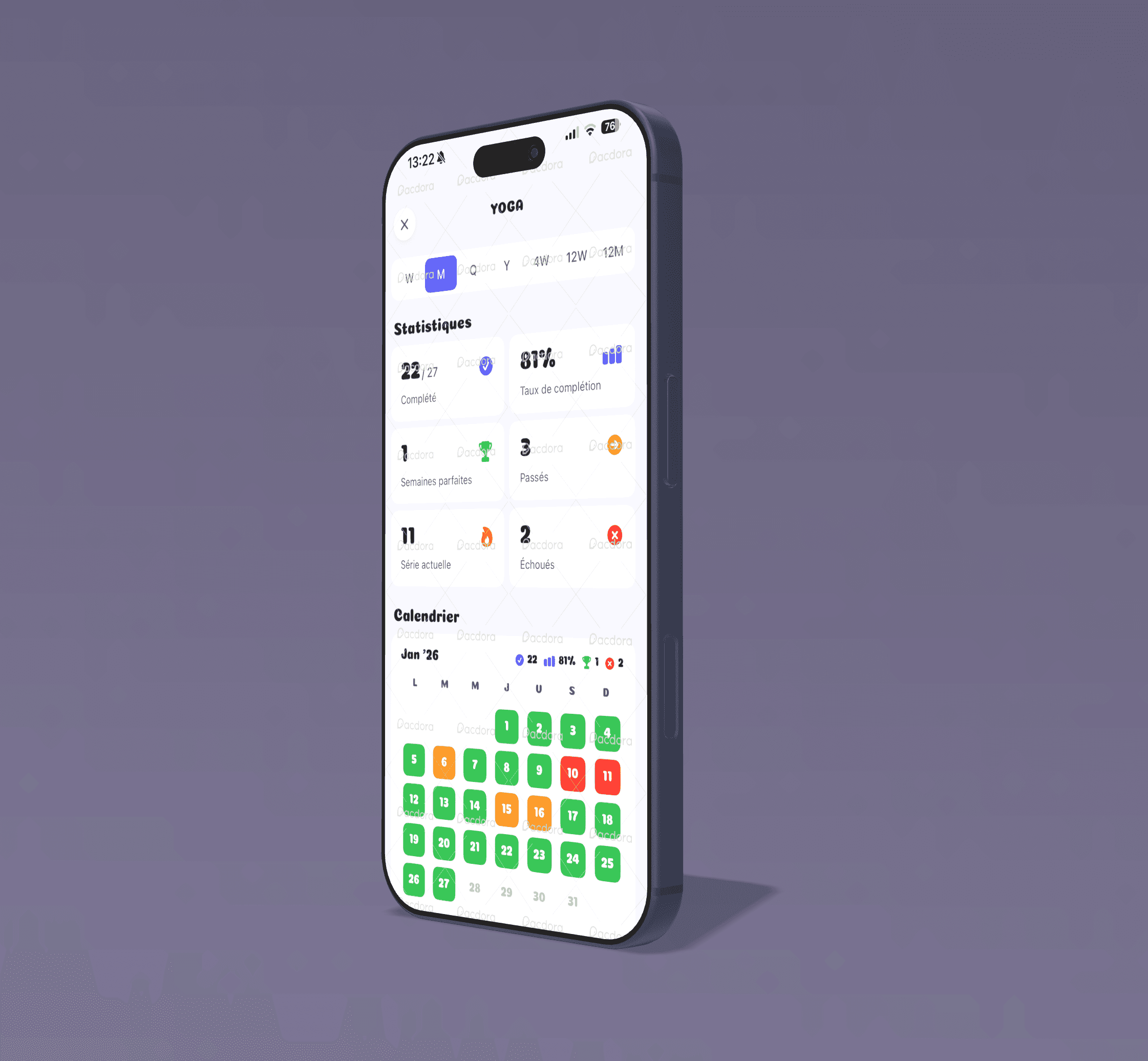
• Habit start date on calendar — The statistics calendar now displays the exact day a habit was created. A small indigo triangle marks the starting cell, and the section header shows the formatted start date. All past days remain fully interactive so users can retroactively log completions from before they switched to Be Kind.
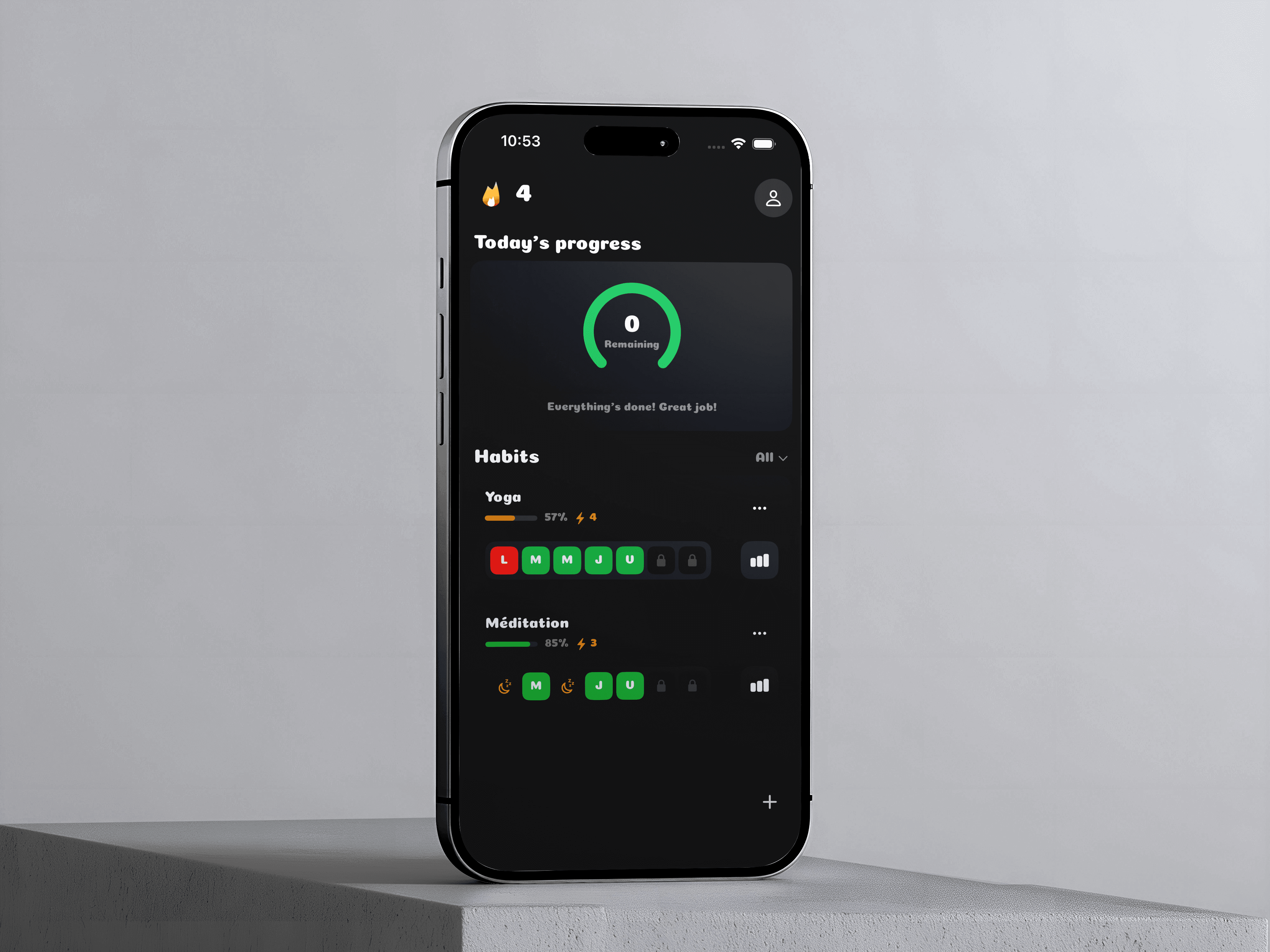
• Dark Mode — The app now fully supports dark mode. A new Theme setting (Auto / Light / Dark) has been added to the Interface section in Settings. Auto follows the system appearance by default.
⚙️ Optimized
• iOS 17 compatibility — The deployment target has been lowered from iOS 18 to iOS 17, expanding support to ~85–90% of active devices.
🐛 Fixed
• Day-off streak calculation — Completing all habits scheduled for the day now correctly triggers the win streak animation, even when other habits are set to day off. • Day-off icon color — The moon icon displayed on rest days is now orange, matching the streak lightning bolt color. • Streak celebration in dark mode — The dismiss button text was invisible (white on white) in dark mode. The text color is now adaptive and always contrasts with the button background. The diamond indicator on the progress bar also had an inverted gradient (dark top, light bottom) in dark mode; it now uses fixed white-to-cream colors in both themes.
Version
1.2
21 February 2026
🚀 New
• Dynamic average reminders — Each habit now computes a rolling average completion time from the last 7 days and schedules an additional smart reminder at that time.
• Smart conflict prevention — The dynamic reminder is automatically skipped when it is within 60 minutes of the user-defined reminder time.
• More varied reminder copy — Reminder notifications now rotate between multiple localized message templates instead of always using the same sentence.
• Notification permission onboarding — A dedicated onboarding step now asks users to enable notifications right after entering their name.
⚙️ Optimized
• iOS 18 compatibility — The app now supports iOS 18 and above. The deployment target has been lowered from iOS 26 to iOS 18. The Liquid Glass effect on buttons is applied conditionally and only activates on iOS 26+.
🐛 Fixed
• Streak celebration trigger — The win streak animation now fires only when all habits scheduled for the day are completed.
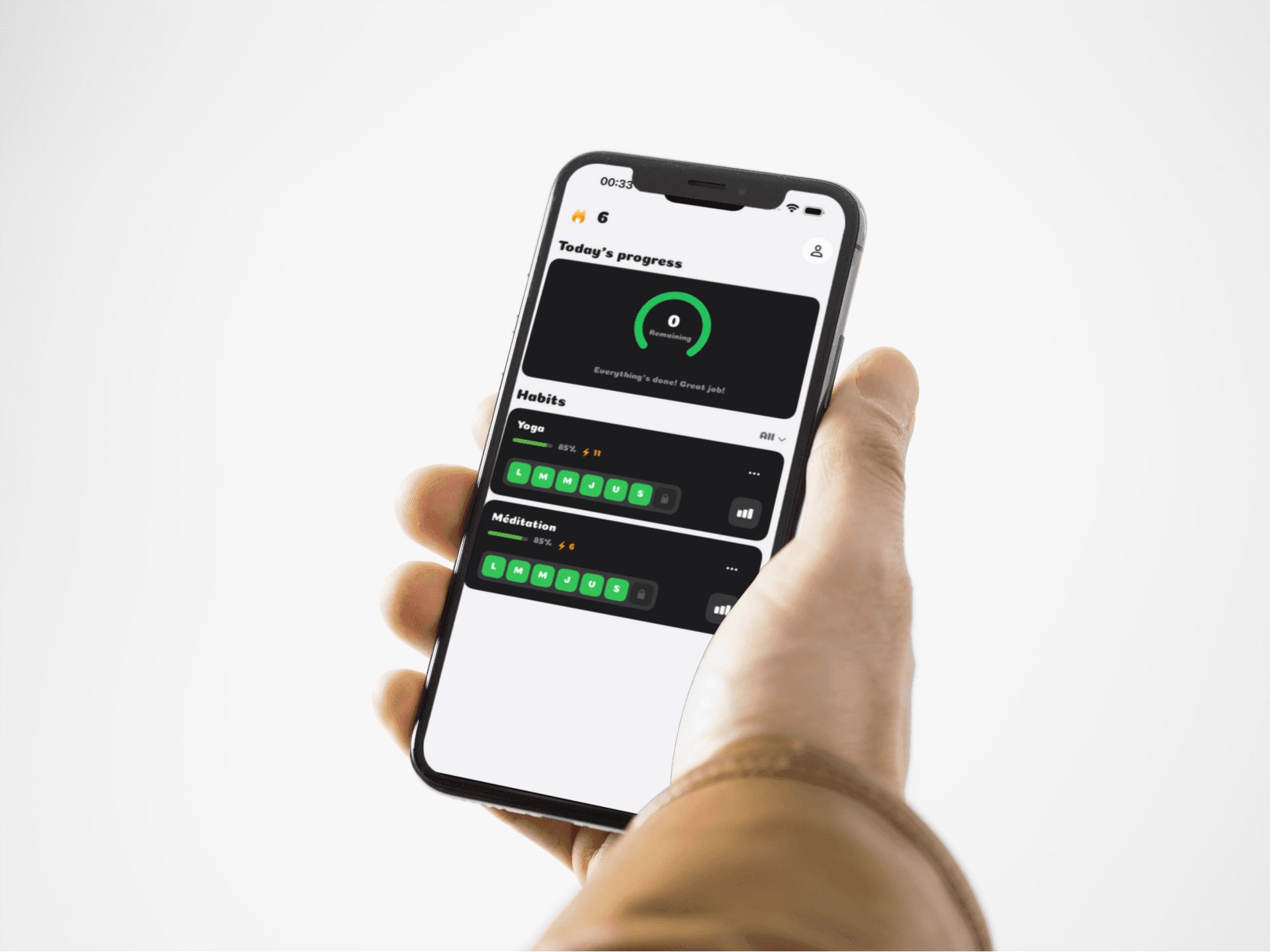
• Home header — Replaced the "Welcome, {name}" text with an animated flame and the current win streak count.
• Daily progress accuracy — Habits marked as Failed or Skipped are now counted in today's progress on the home page.
• Filter consistency — Habits marked as Failed or Skipped are now treated as completed in the display filters.
• Status menu stability — Fixed a crash that could occur when selecting Failed or Skipped from the habit status menu.
• Reminder localization consistency — Reminder title/body are now always pulled from localized string resources.
Version
1.1
14 February 2026
🚀 New
• Contact Us — Reach our support team directly via email from the app settings.
• Rate Us — Quick access to leave a review on the App Store.
• Social Media — Follow us on Instagram (@be_kind_app) from the new social media page.
• Share App — Invite your friends to try Be Kind. with the App Store share link.
• Persistent Filter — Your selected habit filter (All, To Do, Completed) is now remembered between app launches.
🐛 Fixed
• Floating button overlap — The "+" button no longer covers habit cards when scrolling to the bottom of the list.
⚙️ Optimized
• Blazing-fast habit completion — Tapping a habit on the home page now responds instantly with no animation lag.
• Instant statistics rendering — Calendar days in the statistics view no longer freeze for over a second when tapped.
• Smart completion caching — All habit completions are now batch-loaded into an in-memory cache, replacing hundreds of individual database fetches with a single optimized query.
• Fixed ViewModel lifecycle — The statistics page no longer creates a new ViewModel on every single UI access, drastically reducing redundant work.
• Batch status preloading — All completion statuses are preloaded on screen appear, so calendar grids render without any database calls.
• Optimized streak calculation — Streak computation is now deferred and only runs when the celebration animation is actually possible.
🐞 Known
• No new known issues — please report any bugs via the app settings.
Version
1.0
06 January 2026
🚀 New
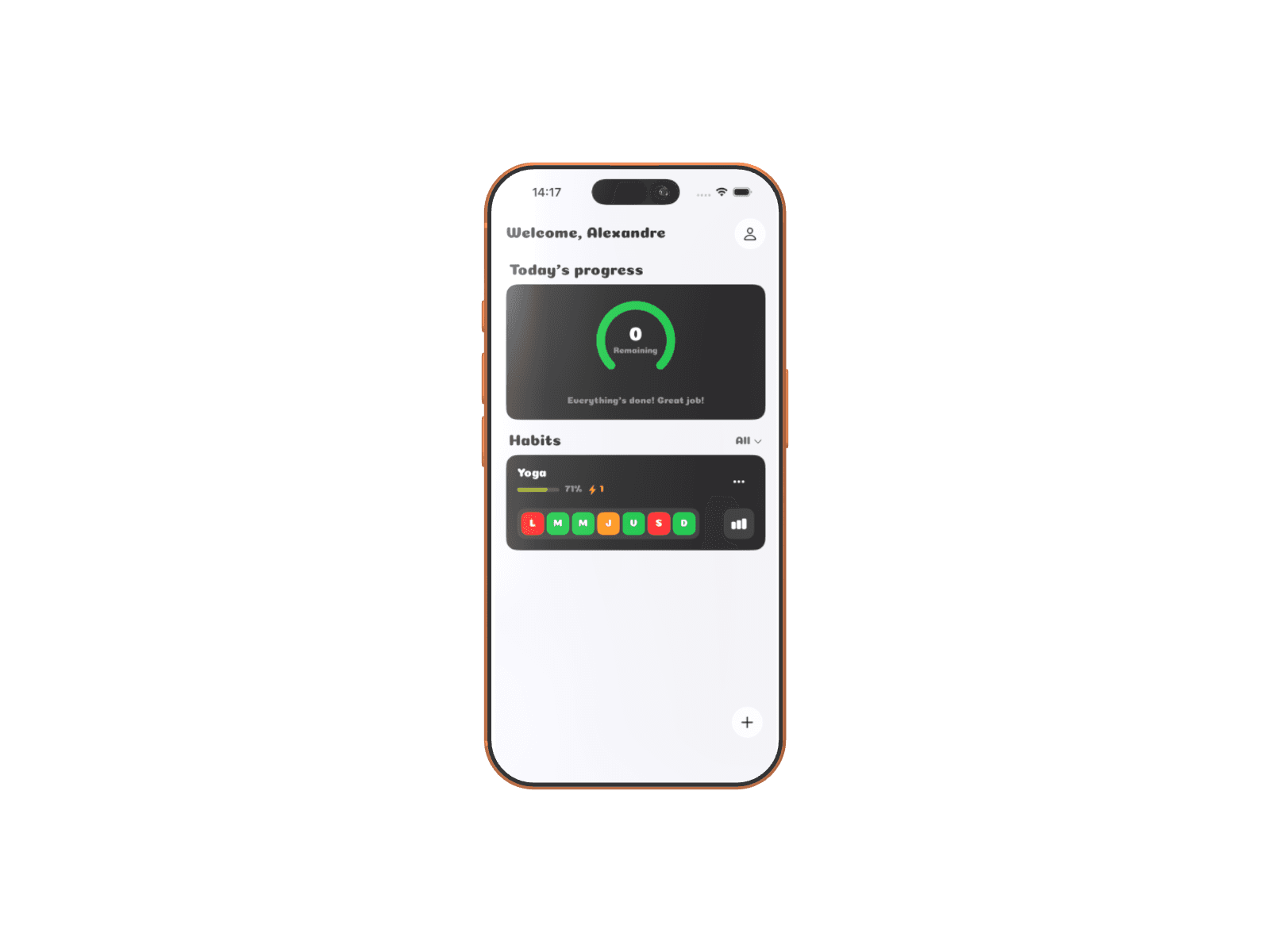
• Smart Habit Tracking — Create personalized habits with emoji, color, and selected days.
• Motivating Streak System — Track your consecutive day streaks with Duolingo-style animated celebrations.
• Flexible Authentication — Sign in with Apple, Google, email OTP, or guest mode.
• Detailed Statistics — View your progress across 7 time periods (week, month, quarter, year...).
• Custom Reminders — Recurring notifications configurable per habit and per day.
• Interactive Onboarding — 7-step tutorial to discover all features.
• Multilingual Support — Available in English and French.
• Habit Archiving — Archive and restore your habits without losing them.
• Data Export — Export all your habits and completions as JSON.
⚙️ Optimized
• Smooth animations with spring effects and polished transitions.
• Integrated haptic feedback for every action (completion, celebration, selection).
• Modern glassmorphism UI with a cohesive design system.
• Smart streak calculation that respects rest days.
🐞 Known
• First release — please report any bugs via the app settings.